
Menu
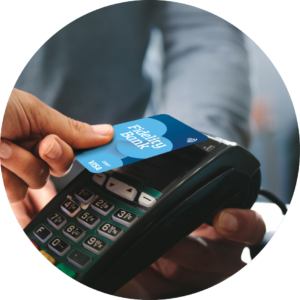
Add your Fidelity Bank Visa® Debit Card to your digital wallet directly from Mobile Banking and pay confidently in stores, online and in apps.
Use your mobile device to make secure purchases with Apple Pay®, Google Wallet™ or Samsung Wallet® – without reaching for your physical wallet.
Add Your Debit Card in Minutes

Log in to the Fidelity Bank Mobile App.

Navigate to your debit card and select “Add to Digital Wallet.”

Choose Apple Pay®, Google Wallet™ or Samsung Wallet® and follow the prompts on your device.

Your card is ready to use once verification is complete.
Built with Security in Mind
Your card number is not stored on your device or shared with merchants when you make a purchase. Digital wallets use advanced encryption and a unique digital token to help protect your information.
Additional authentication methods, such as Face ID®, Touch ID® or your device passcode, help keep your purchases secure.
You can add your Fidelity Bank debit card in one of two ways:
Yes, you can add your Fidelity Bank debit card directly in Digital Wallet by choosing the “add card” option and auto-capturing your card’s information by holding the card near your mobile device. There are added security layers through adding your card through Mobile Banking. You will no longer be able to add your card to the Digital Wallet by manually entering the information or taking a picture of the card.
Eligible Fidelity Bank Visa® Debit Cards can be added to:
Look for the contactless payment symbol or Apple Pay, Google Wallet or Samsung Wallet logos at checkout.
No. Your physical card number is not shared with merchants. A unique digital token is used instead.
No. Fidelity Bank does not charge a fee to add your card to a digital wallet.
In many cases, your digital wallet may update automatically. If your card does not update, remove the old card from your wallet and re-add the new card through Mobile Banking.
When you add your card directly from Mobile Banking, you can use your card even before you have it in-hand. You will then still need to activate the physical card upon receipt, which is an important layer of security to protect your account.
Yes. You can add your eligible card to multiple supported devices.
Yes. Your physical card will continue to work normally.
Yes. You can use Apple Pay, Google Wallet or Samsung Wallet anywhere those payment methods are accepted online or within apps.
Verification helps protect against unauthorized use and confirms that you are the cardholder.
Before you move on, please know you are about to leave the Fidelity Bank website. The privacy and security policies of the site you are about to view may be different than those of Fidelity Bank.